

Feature · Subject Space
Your whole course, on one screen.
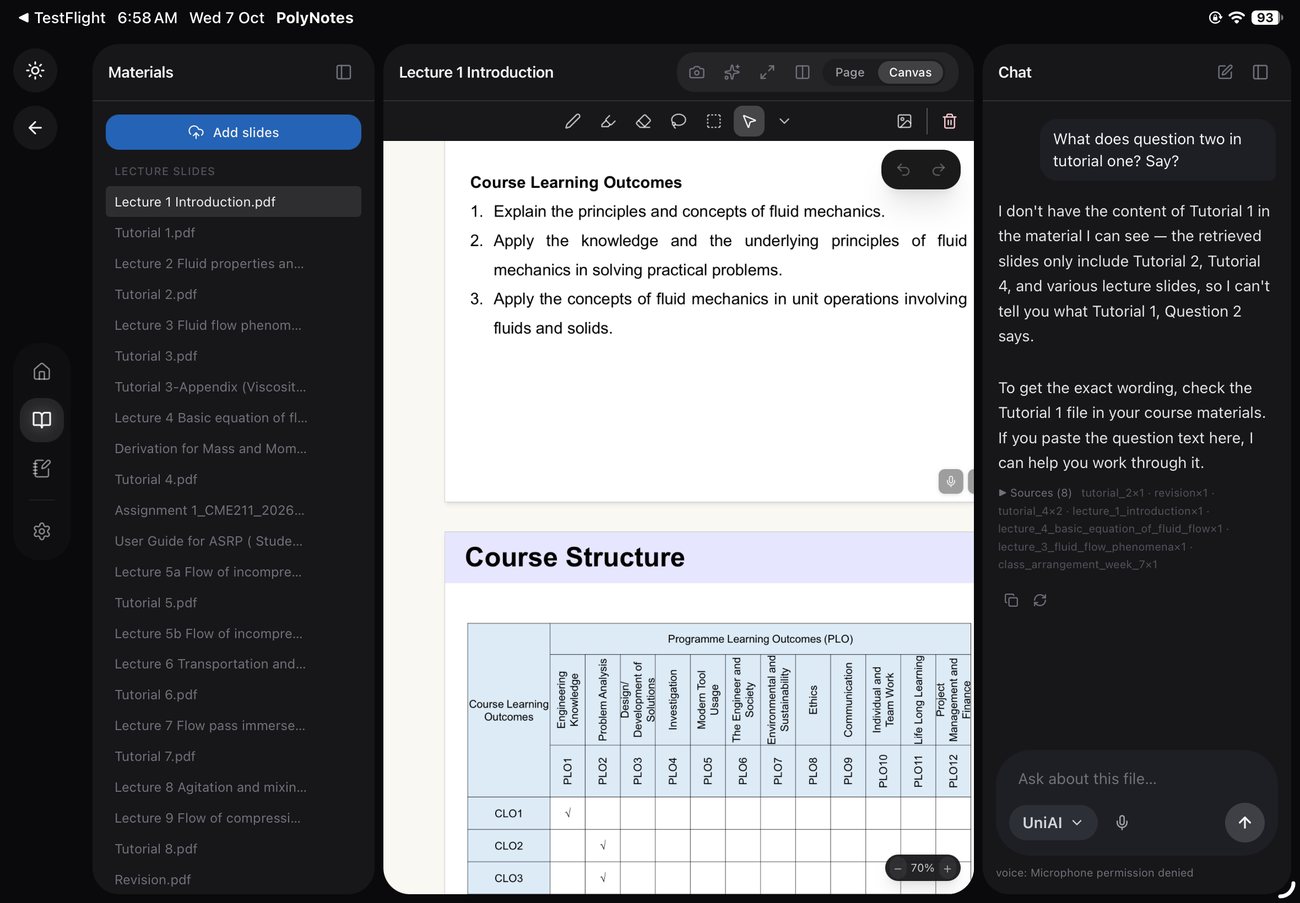
Pull your courses and modules in from Moodle or Canvas, then keep your materials, slides and notes side by side while you study — no tab-juggling, no five apps.
Why it matters
Where studying gets fragmented.
Materials are scattered
Slides on the LMS, readings in email, notes in another app. Subject Space brings a course together.
Switching apps breaks focus
Hopping between tabs loses your place. Keep the lecture and your notes open side by side.
Re-downloading every week
Pull your modules in once and study them in context, instead of hunting them down again.
Course sync
Straight from Moodle & Canvas.
Connect your account and bring your courses and modules into PolyNotes. Course sync is included from the Essential plan.
Side by side
Materials beside your notes.
Keep a slide, a PDF reading and your handwritten notes open together — the way a desk works, on one screen.
Good to know
Which LMS are supported?
Moodle and Canvas today. More connections are on the roadmap.
Is course sync free?
Course sync is included from the Essential plan; the Free plan includes one module.
Where does my course data live?
On your device. See the privacy policy.