

Feature · Study tools
From notes to exam-ready.
Turn a lecture into flashcards in a tap, keep your courses and deadlines in one planner, and bring in notebooks you already have from GoodNotes and Notability.
Why it matters
Where revision slows you down.
Making flashcards by hand is slow
Copying a lecture into cards eats study time. Generate a set from your notes in a tap.
Deadlines slip through
Assignments hide across emails and the LMS. A simple planner keeps them in one place.
Old notebooks are stuck elsewhere
Years of notes sit in another app. Import them from GoodNotes and Notability and keep studying.
Flashcards
Study sets in a tap.
Turn a lecture or a page of notes into flashcards, then review them without leaving the app — ready in time for the exam.
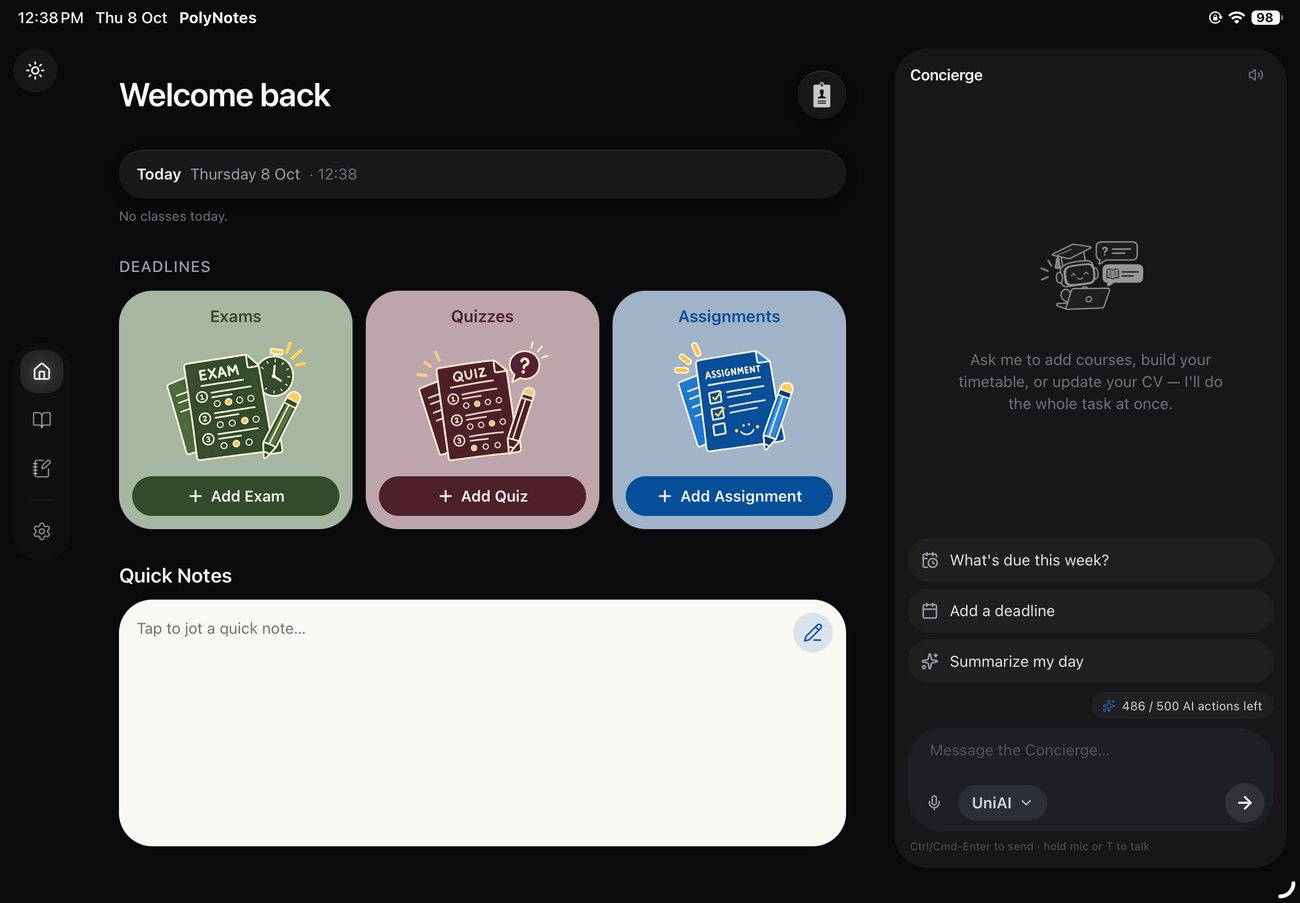
Planner
Courses & deadlines, in view.
Keep a simple picture of your courses, deadlines and progress alongside your notebook, so nothing sneaks up on you.
Good to know
How do flashcards get made?
From a lecture or a set of notes — generating a study set counts as one AI action.
Can I import from GoodNotes and Notability?
Yes — bring existing notebooks in and keep working.
Is there a planner?
Yes — a simple course & deadline planner lives alongside your notes.