

Feature · PDF & slides
Mark up any PDF, by hand.
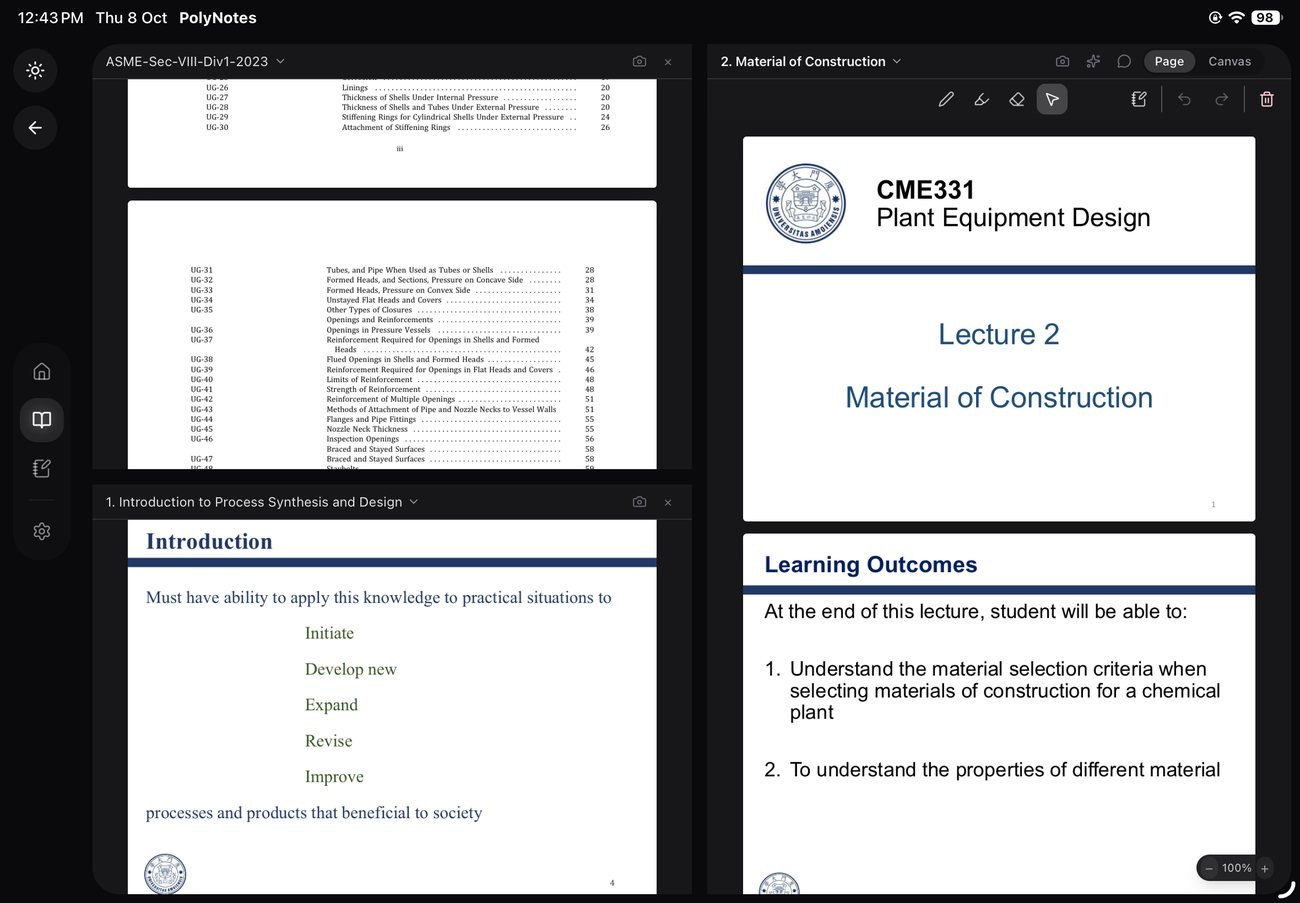
Import a reading or a lecture deck and annotate it with the same pen you use for notes — highlights, scribbles and diagrams, right on the page.
Why it matters
Where other PDF tools fall short.
Clunky PDF apps
Most PDF tools are built for signatures, not studying. Writing on a slide shouldn’t feel like a fight.
Readings pile up
Articles and decks scatter across downloads. Keep them in your notebook, marked up and findable.
Notes live apart from the source
Your thoughts end up in one app and the reading in another. Here they sit on the same page.
On the page
Annotate right where it matters.
Highlight a passage, scribble a margin note, or draw an arrow straight onto a PDF or slide — with the same pressure-aware pen you use everywhere else.
One notebook
Readings and notes, together.
Imported PDFs live beside your handwritten notes in the same notebook, so a lecture and its slides are never more than a swipe apart.
Good to know
What files can I import?
PDFs, and lecture slides exported as PDF.
Do my marks change the original?
Your annotations are kept on your copy inside PolyNotes.
Can I search my annotated readings?
Finding text across your material is on the roadmap.